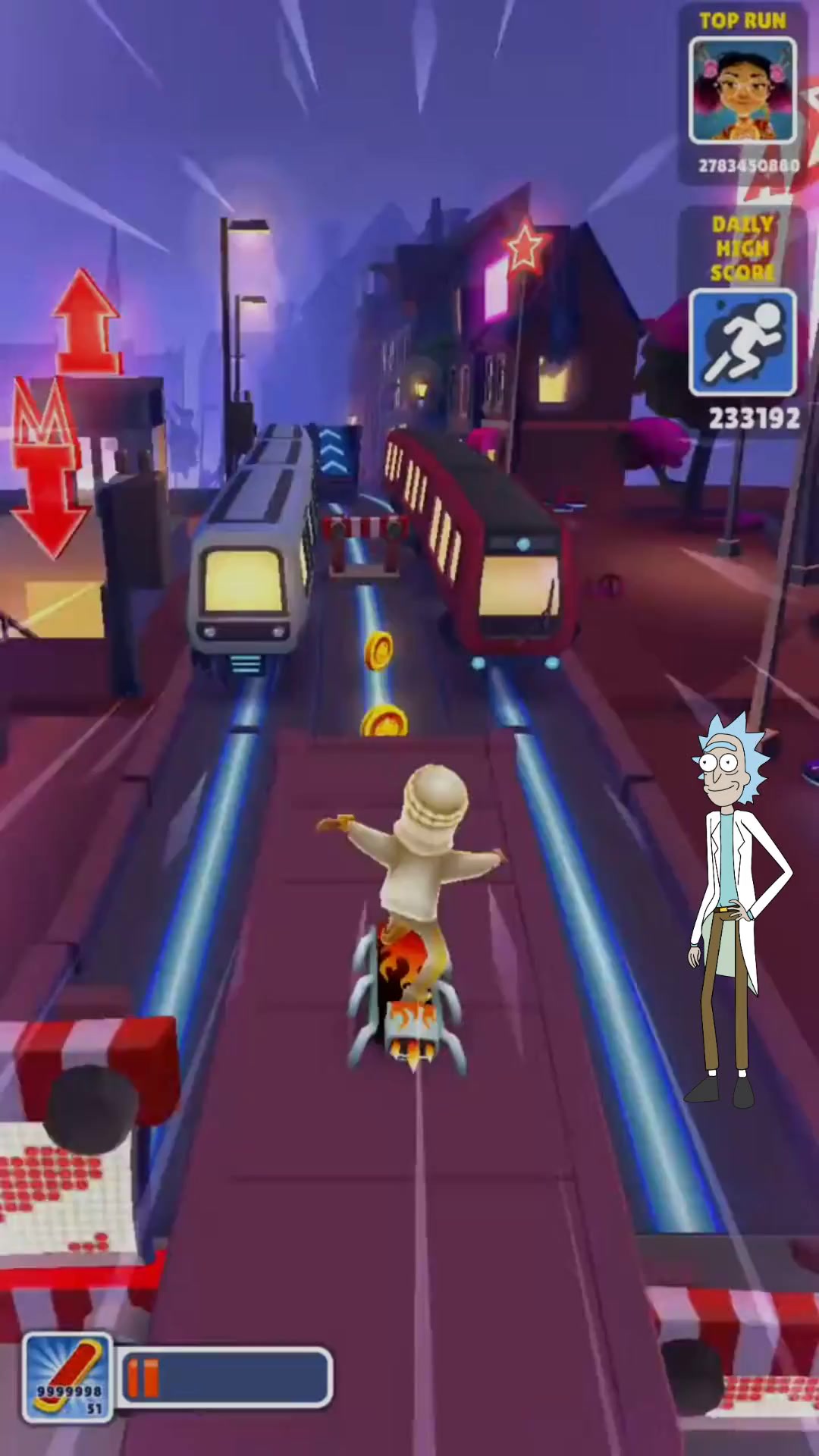
A topic in, one explainer out
The cast, the gameplay behind them and the caption style are choices you make before it renders. What comes back is a single vertical clip.
- One line of topic Enough to write from. The script comes back for you to edit before anything renders.
- The cast Peter, Stewie and Brian by default, from a wider cast you can change.
- A gameplay background Minecraft, Subway Surfers or GTA. There is no default — it is a choice you make.
- A caption style Nine of them, each with its own preview.
A topic, a script you edit, then the render
Topic
One line is enough. Pick the cast and the gameplay background here too — the background has no default, so it is a choice you make rather than one you inherit.
Script
The script comes back for you to read and edit line by line: reorder lines, delete them, add your own, or hand a line to a different character. What is on screen is what gets said. This step costs 50 credits.
Customize
Caption style and accent colour, per-character pace, background music and its level. Nine caption styles, each tile playing its own preview.
Layout
Place the sprites, the captions and the cutaway inside the 1080×1920 frame, so the composition is yours rather than a template's.
Result
The render, which is where the remaining 925 credits are taken. Two to five minutes.
What LearnRot takes, and what it returns
What LearnRot needs from you
- Topic
- The subject the clip should explain
- Characters
- Two or three, from a roster of 24 — Peter and Stewie by default
- Background
- One of 16 gameplay clips across 6 games — no default, you pick
- Length target
- 60, 90 or 120 seconds of dialogue
- Typical run time
- 2–5 minutes
Export specifications
- Frame
- 1080×1920 vertical
- Length
- Written to a 60, 90 or 120-second dialogue target
- Captions
- Burned in, in the style and accent colour you chose
- Delivery
- Rendered clip in your workspace library, re-openable from the History drawer
- Rights
- You own the outputs, to the extent they can be owned, and may use them commercially — see the Terms
Every line of the script, and everything the frame is made of
The topic gets you a first draft. From there the script is editable line by line, and the customise and layout steps decide how the clip reads before a credit is spent on rendering it.
-
Topic
Free text
The subject of the clip. The script pass writes the dialogue from it.
-
Script editor
Line by line
The script comes back for you to edit: reorder lines, delete them, add your own, or hand a line to a different character. What is on screen is what gets said.
-
Characters
2 or 3, from a roster of 24
Peter and Stewie by default. The roster spans Family Guy, Rick and Morty, The Big Bang Theory and Friends — Sheldon Cooper, Chandler Bing, Ross Geller and Evil Morty among them. Two is the floor and three is the ceiling: in ninety seconds a fourth voice is already a cameo.
-
Custom characters
A picture and about 10 seconds of voice
Bring in someone the roster does not have, from one image and a short voice sample. Removing the background from an uploaded sprite is a separate 365-credit step.
-
Gameplay background
16 clips across 6 games
Minecraft, Subway Surfers, GTA, Farming Simulator, Meccha Chameleon and Rocket League. There is no default — you pick one.
-
Length target
60, 90 or 120 seconds
Three fixed values, and a word-count target for the spoken dialogue rather than a hard duration for the finished clip. It is why length does not change the price.
-
Caption style
9 styles, 9 accent colours
Each style tile plays its own preview, so you see the captions moving before you choose.
-
Per-character pace
0.6× to 1.5×
Set per character, so one voice can run hot while another lands its line.
-
Background music
On, with a level
A bed under the dialogue, with a slider for how far under it sits.
-
Layout
The 1080×1920 frame
Place the sprites, the captions and the cutaway yourself rather than accepting a fixed composition.
Engine choice
Two ways to run it. Pick the one that matches your source.
- Step 2
Script pass
Writes the dialogue for the cast from the topic and the length target, then hands it to you to edit. 50 credits.
Getting the argument right
- Step 5
Render pass
Puts the characters over the gameplay background in your layout and burns in the captions. 925 credits.
The finished clip
Built for people teaching on a feed
-
Educators
Meet students in the format they already watch, rather than asking them to sit through a lecture clip.
-
Study creators
Turn a revision topic into a clip in the time it takes to write the topic down.
-
Social publishers
Run an explainer series at the volume a vertical feed needs.
Often used with

Built for Growth at Every Stage
Every plan includes every model and every feature. Plans only change how many credits you get and how many generations run at once.
- Credits refresh monthly
- Top-up additional credits anytime
- Unused credits don't roll over

Not ready for the commitment?

FAQ
Frequently asked questions
Everything you need to know about LearnRot on BeHooked.
Can I change what the characters say?
Yes, and it is the point of the app. The script comes back for you to read and edit line by line — reorder lines, delete them, add your own, or hand a line to a different character. What is on screen is what gets said.
Which characters can I use?
Two or three per clip, from a roster of 24 spanning Family Guy, Rick and Morty, The Big Bang Theory and Friends — Sheldon Cooper, Chandler Bing, Ross Geller and Evil Morty among them. Peter and Stewie are selected by default. Two is the floor and three is the ceiling, because in ninety seconds a fourth voice is already a cameo. You can also add a character of your own from a picture and about ten seconds of voice.
What is the background, and can I change it?
It is a gameplay clip: sixteen of them across six games — Minecraft, Subway Surfers, GTA, Farming Simulator, Meccha Chameleon and Rocket League. There is no default, so picking one is part of setting the clip up. Separately, if you upload a custom character sprite, removing its background is a 365-credit step applied to that image — it is not a change to the video background.
How long is the finished clip?
You set a target of 60, 90 or 120 seconds, and it is a word-count target for the spoken dialogue rather than a hard duration — the finished clip lands near it rather than on it. That is also why the length does not change the price.
What does a clip cost?
975 credits flat, taken in two deductions: 50 when the script is written and 925 when the video renders. Reading the script and deciding not to go on costs you 50 rather than the full price. Custom sprite background removal is a separate 365. Failed runs are refunded.
Do I have to finish a clip in one sitting?
No. Projects are resumable, so you can leave after reading the script and come back to the customise and layout steps later.